RILACAM / RETRO DIGITAL CAMERA

Miss those
digicam colors?

Give your iPhone photos the colors of early digital cameras.
Pick a filter and preview it as you shoot photos or video.

View on the App Store Made for iPhone
iOS 17 or later
Browse the filters
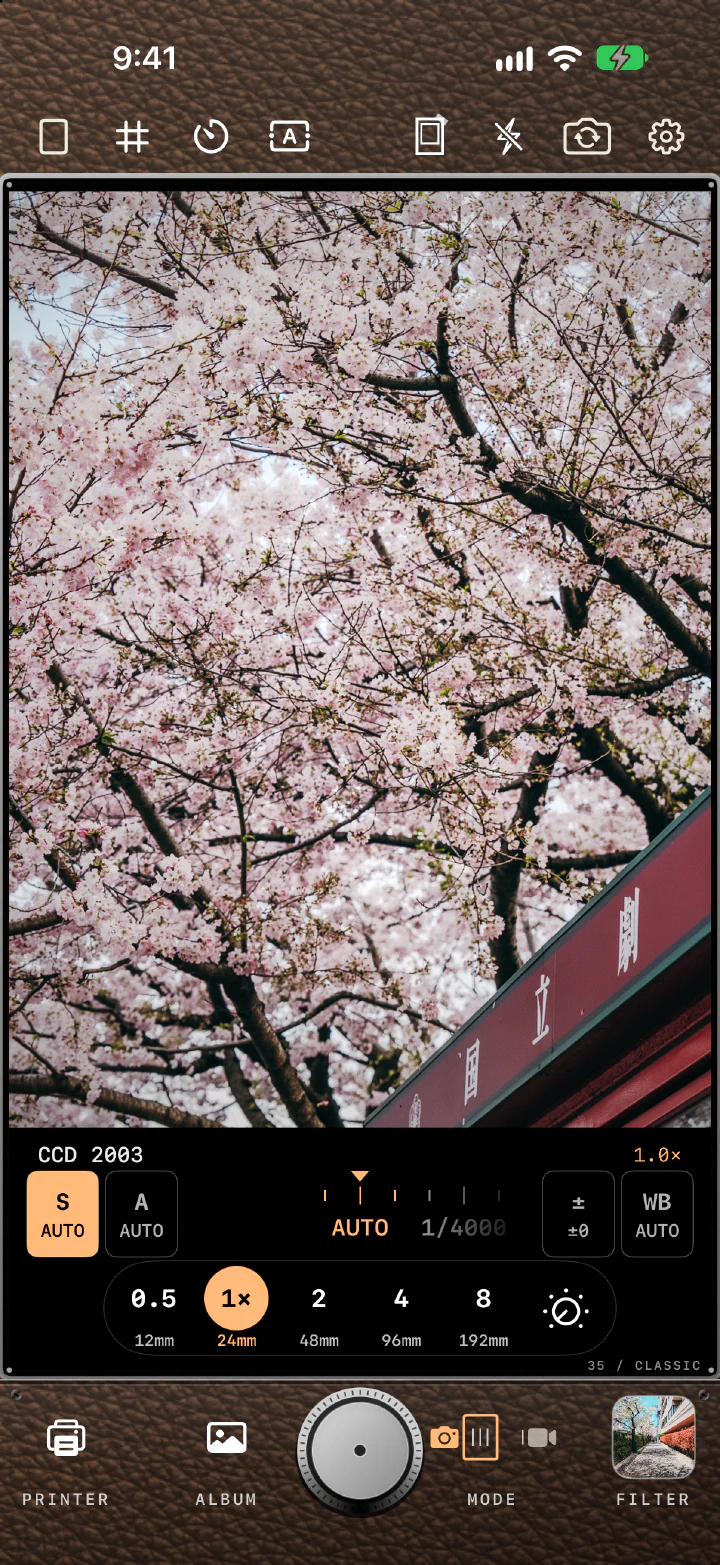
RilaCam camera screen: cherry blossoms in CCD 2003, with the S, A, ±, and WB buttons, shutter dial, and zoom controls below
31 filters1080p video12MP1 Max photo outputON-DEVICE processing
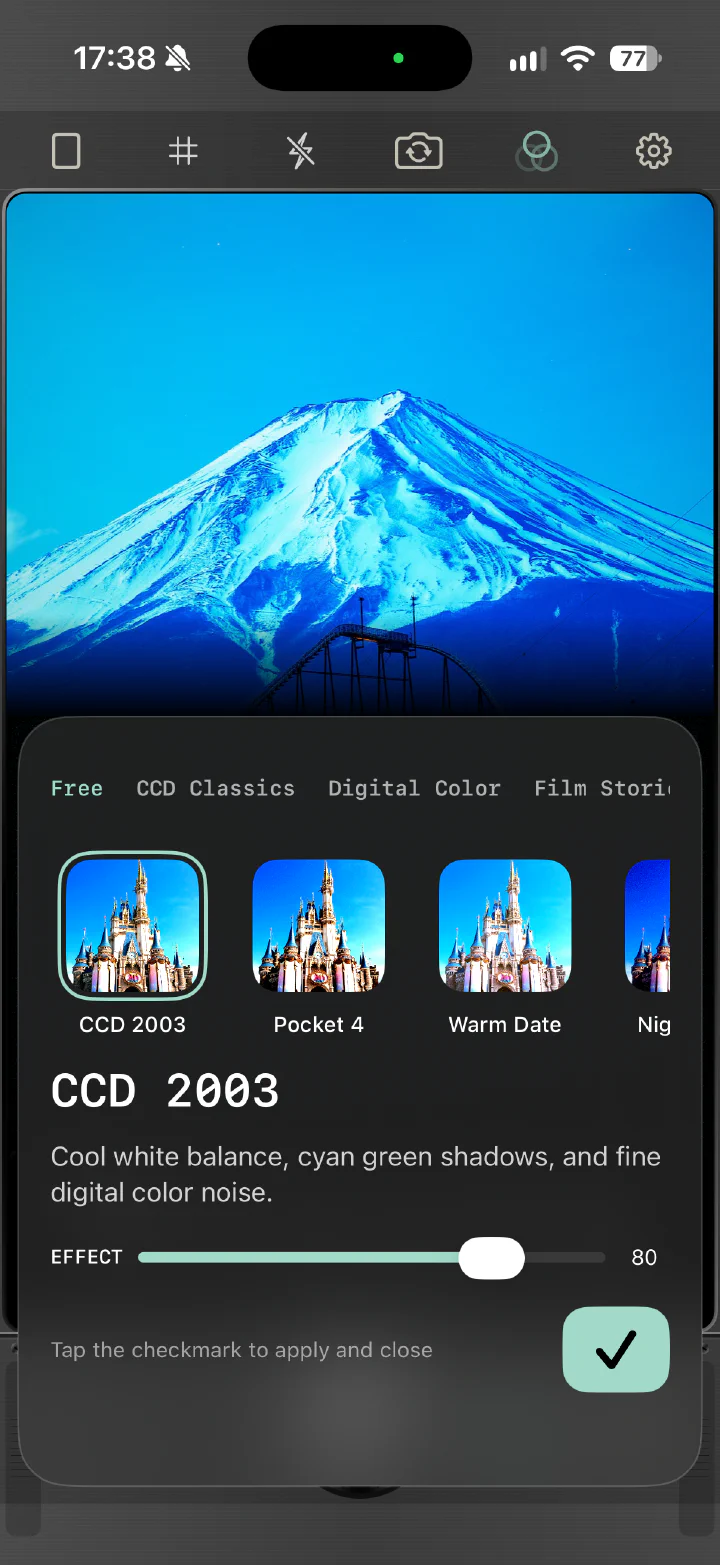
RilaCam filter picker: collection tabs, CCD 2003 selected, and the effect slider

31 FILTERS

CCD colors.
Film grain.
A touch of DV.

Try vivid digital colors, warm film tones, or a little grain. Start by shooting with the 5 free filters.

Start with 5 free filters
  • CCD 2003
  • Pocket 4
  • Warm Date
  • Night CCD
  • VHS 1994
See all six collections

FILTER COLLECTIONS

Six collections

From CCD color to black-and-white film.
Each pack unlocks with a one-time purchase.2

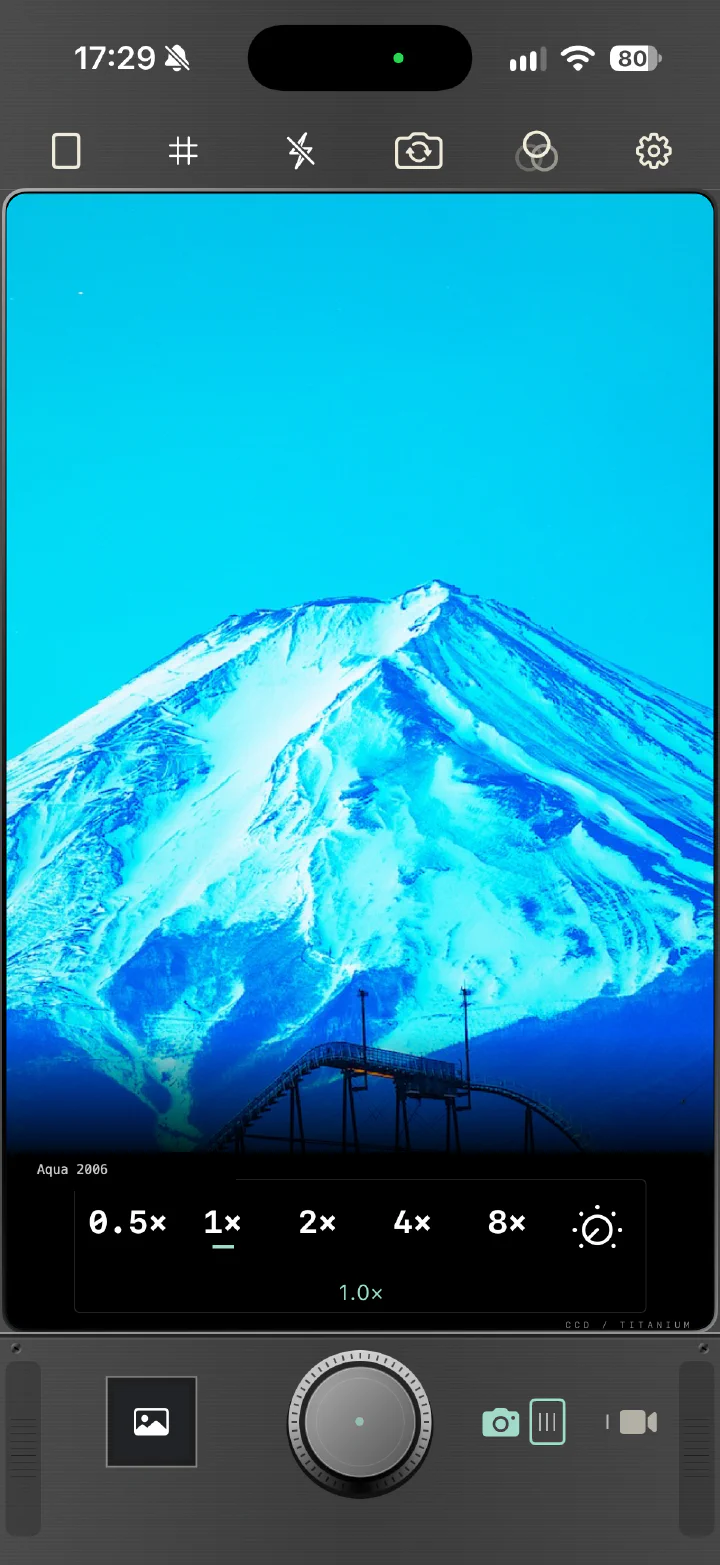
CCD Classics: Mount Fuji in Aqua 2006 on the camera screen

CCD Classics

Vivid early-digital colors for street scenes, greenery, and flash-lit parties.

Included filters

Aqua 2006, Flash Party, Silver Compact, and Green Memory.
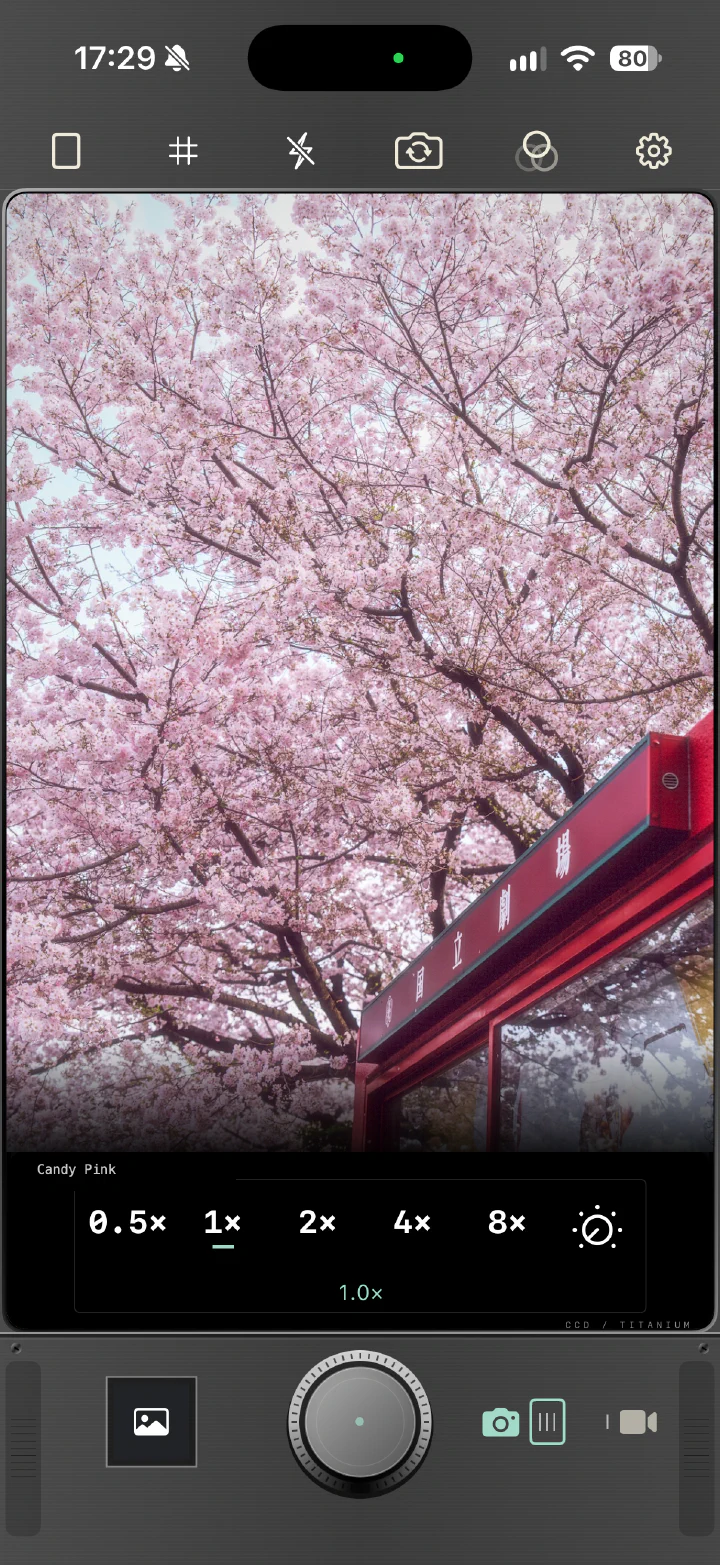
Digital Color: cherry blossoms in Candy Pink on the camera screen

Digital Color

Soft pinks and richer colors to try on flowers and portraits.

Included filters

Tokyo Standard, Vivid 2008, Soft Portrait, Candy Pink, and Kyoto Walk.
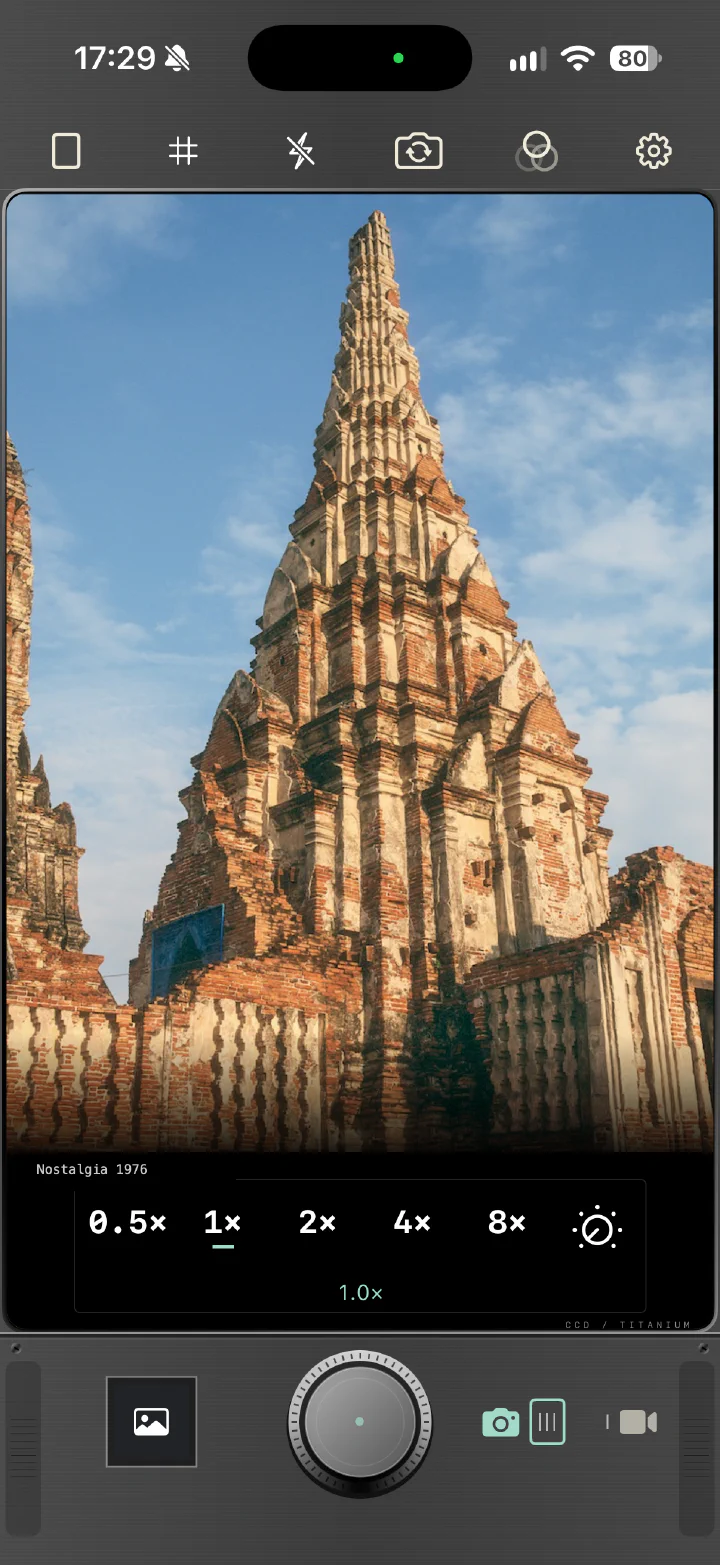
Film Stories: an ancient temple in Nostalgia 1976 on the camera screen

Film Stories

Warm tones, faded colors, and black and white, with film-inspired grain.

Included filters

Classic Slide, Negative 90, Nostalgia 1976, Mono 400, and Pastel 400.
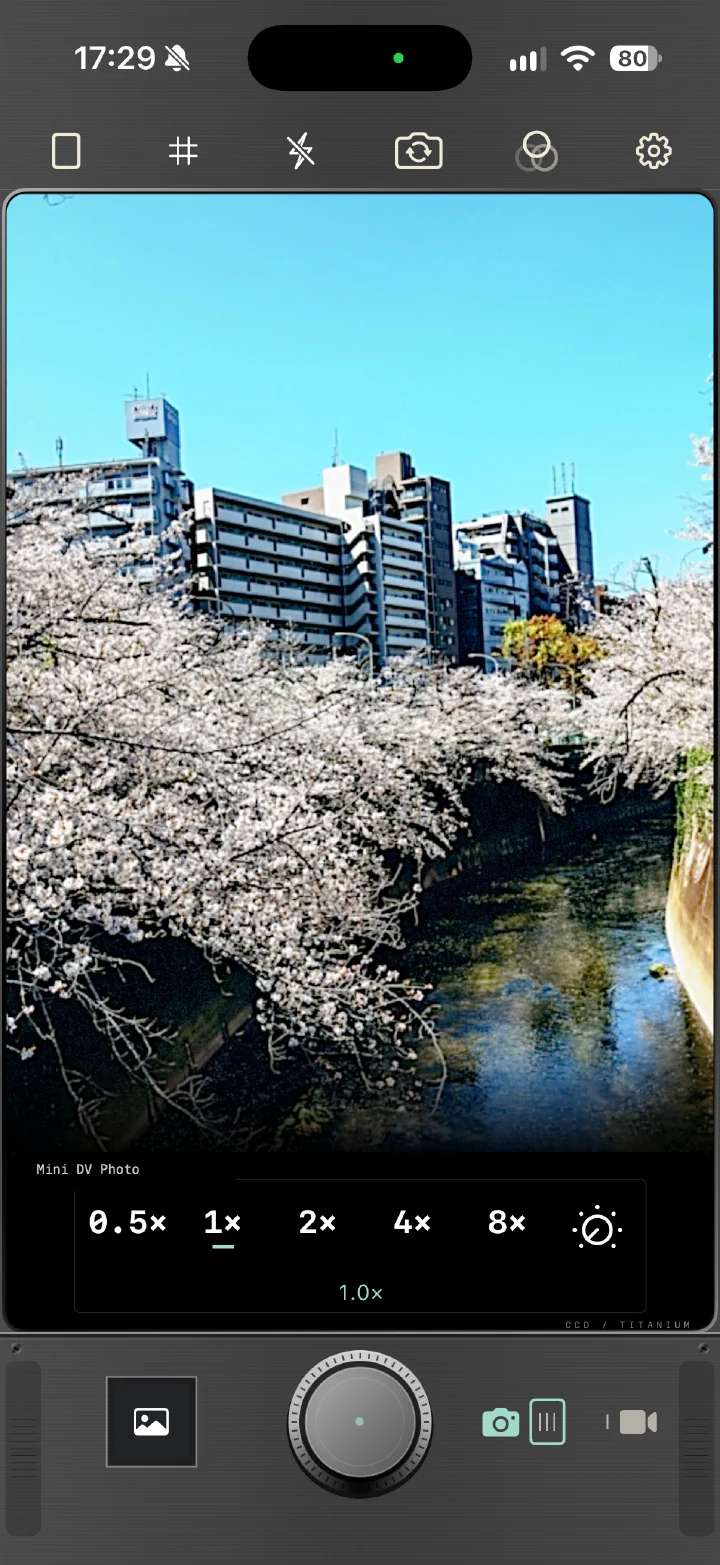
Digital Diary: a cherry-blossom river in Mini DV Photo on the camera screen

Digital Diary

Early DV and digital-camera tones for street scenes and evening light.

Included filters

Mall 2005, Cyber Café, Mini DV Photo, and Blue Hour.
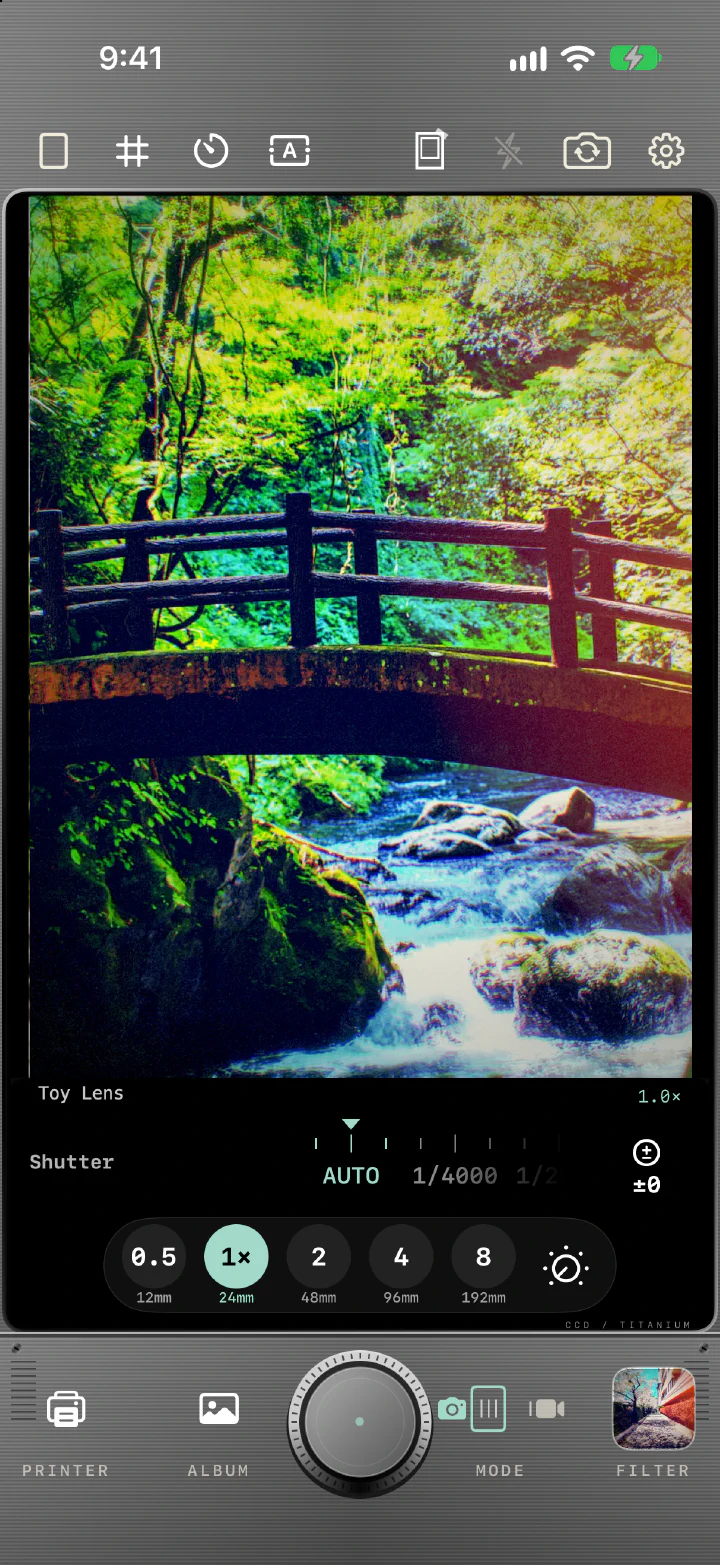
Toy Box: a forest bridge in Toy Lens on the camera screen

Toy Box

Toy-camera looks with light leaks, color fringing, soft corners, and a fisheye bulge.

Included filters

Disposable 400, Toy Lens, Redscale, and Fisheye.
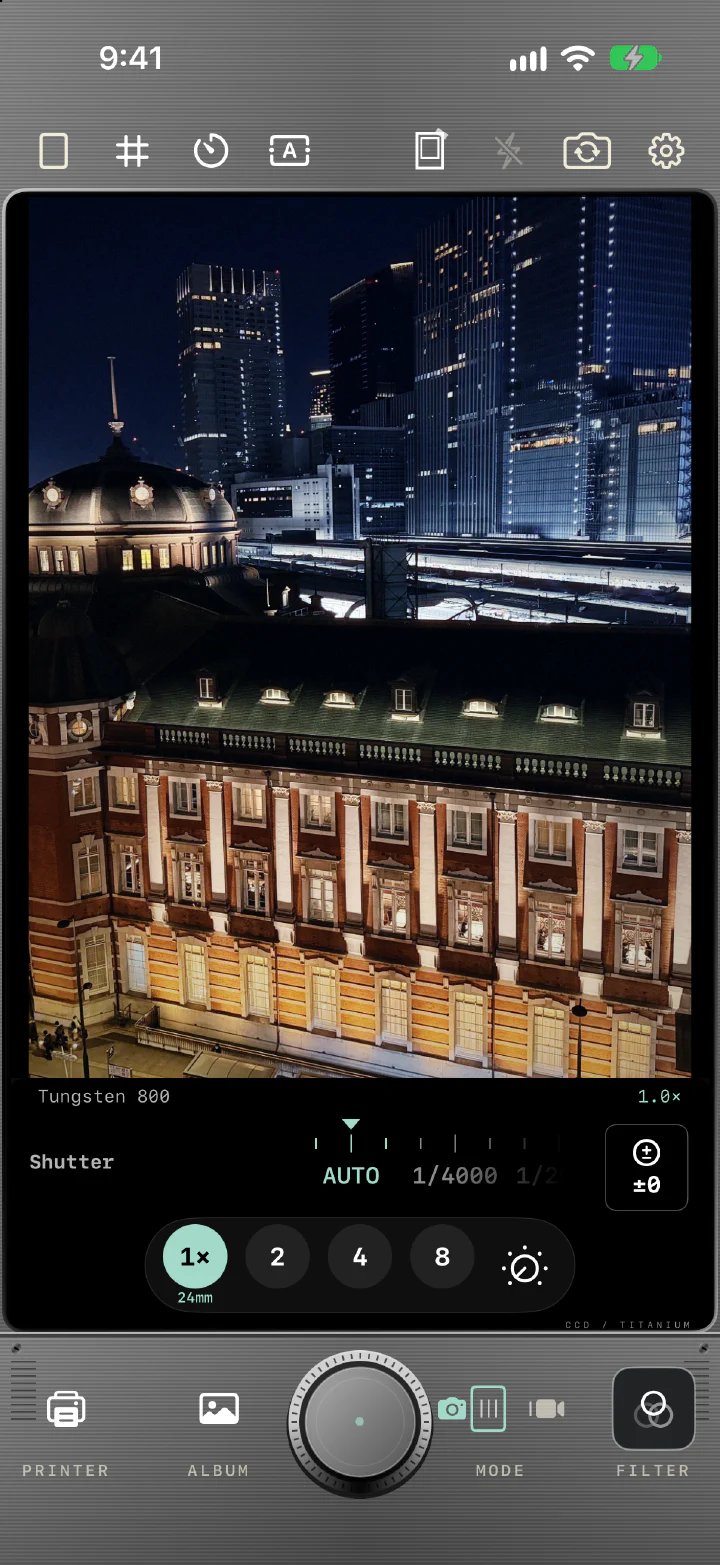
Night Cinema: a station at night in Tungsten 800 on the camera screen

Night Cinema

Tungsten-film halos, widescreen light streaks, Super 8, and pushed black and white for night and cinematic scenes.

Included filters

Tungsten 800, Anamorphic, Super 8, and Push 3200.

CAMERA FEATURES

Pick a filter.
Start shooting.

Preview filters live, then set
the shutter, exposure, and timer.
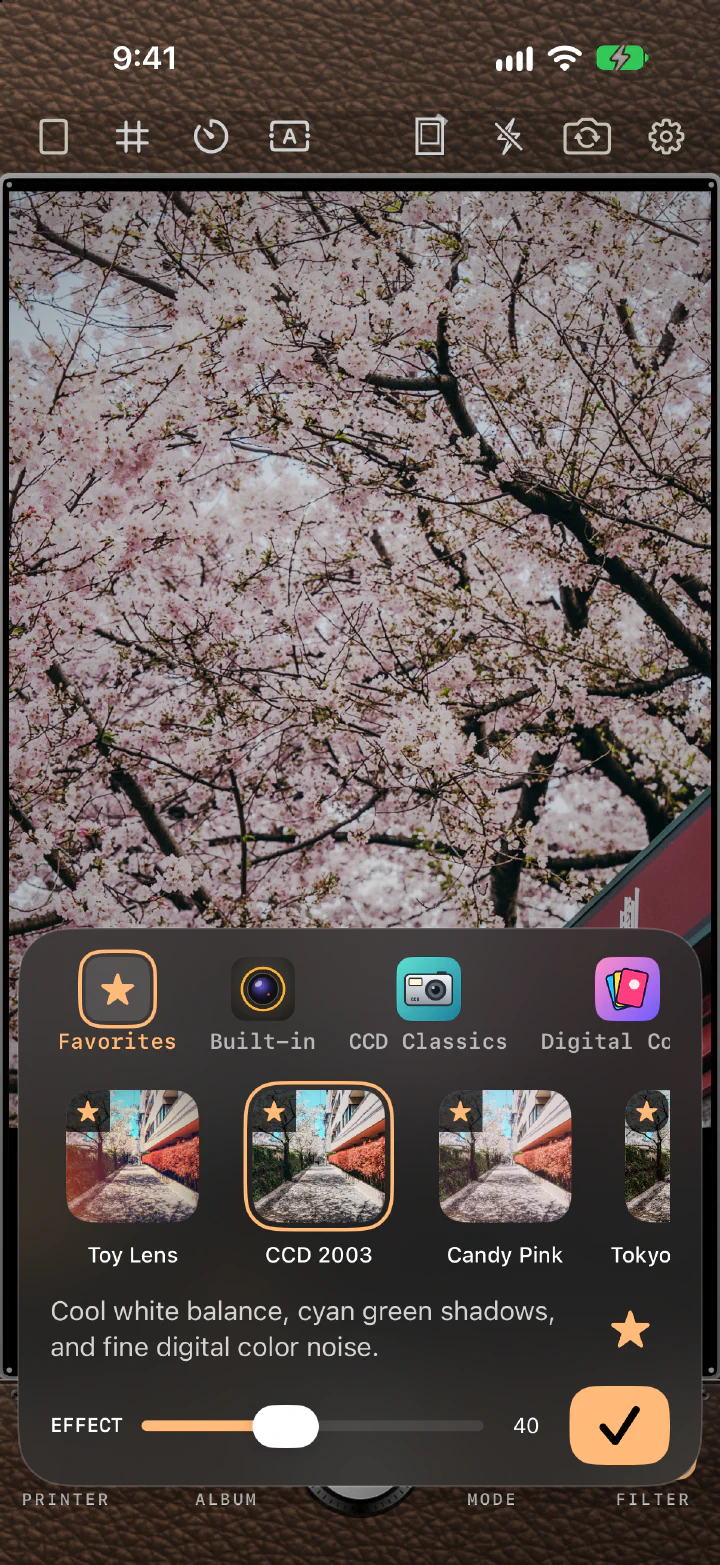
Filter picker on the Favorites tab: starred Toy Lens, CCD 2003, and Candy Pink, with the effect slider

Adjust the filter intensity

See the effect change as you adjust it. Each filter remembers its intensity, and starred favorites come first when you swipe.
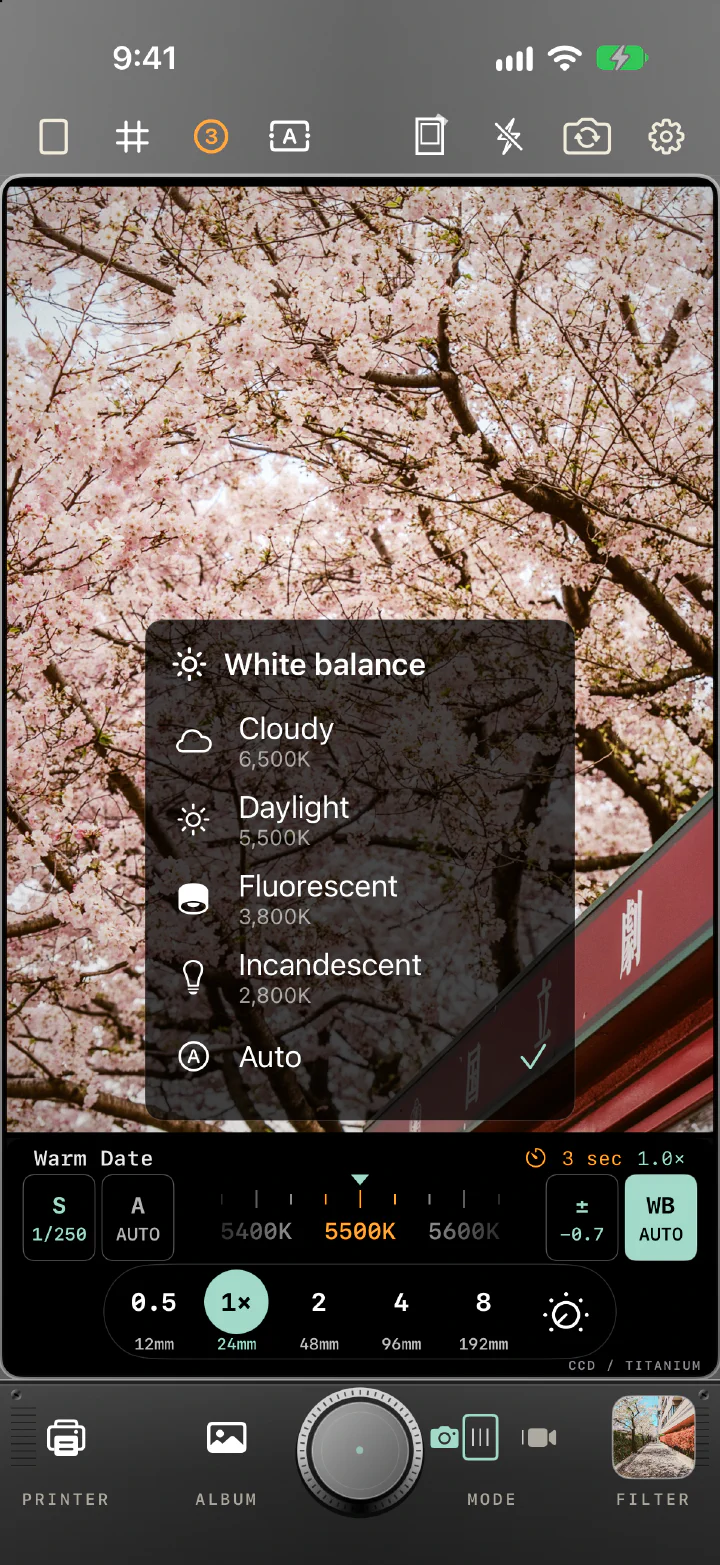
Manual shooting: cherry blossoms in Warm Date with the shutter at 1/250, exposure at −0.7, a 3-second self-timer, and the white balance list open

Shoot like a real camera

Set the shutter from 1/4000 to 1/30 s (down to 1 s for photos), adjust exposure in 1/3 steps, pick a white balance preset, and use a 3, 10, or 30-second self-timer. Frame in 3:4, 4:3, or 1:1 with a grid.

PHOTO + VIDEO

Filters for photos and video

Record at 720p or 1080p with the same filters you use for photos.

DATE + PLACE

Add a date or place name

Add dates, place names, or retro camcorder-style timestamps to photos and videos. Location is off by default; turn it on when you want a place name.

SAVE & BROWSE

See your shots in the Album

Save JPG or HEIF photos at up to 12MP. Open the Album to zoom into your photos or replay a video you just made.1
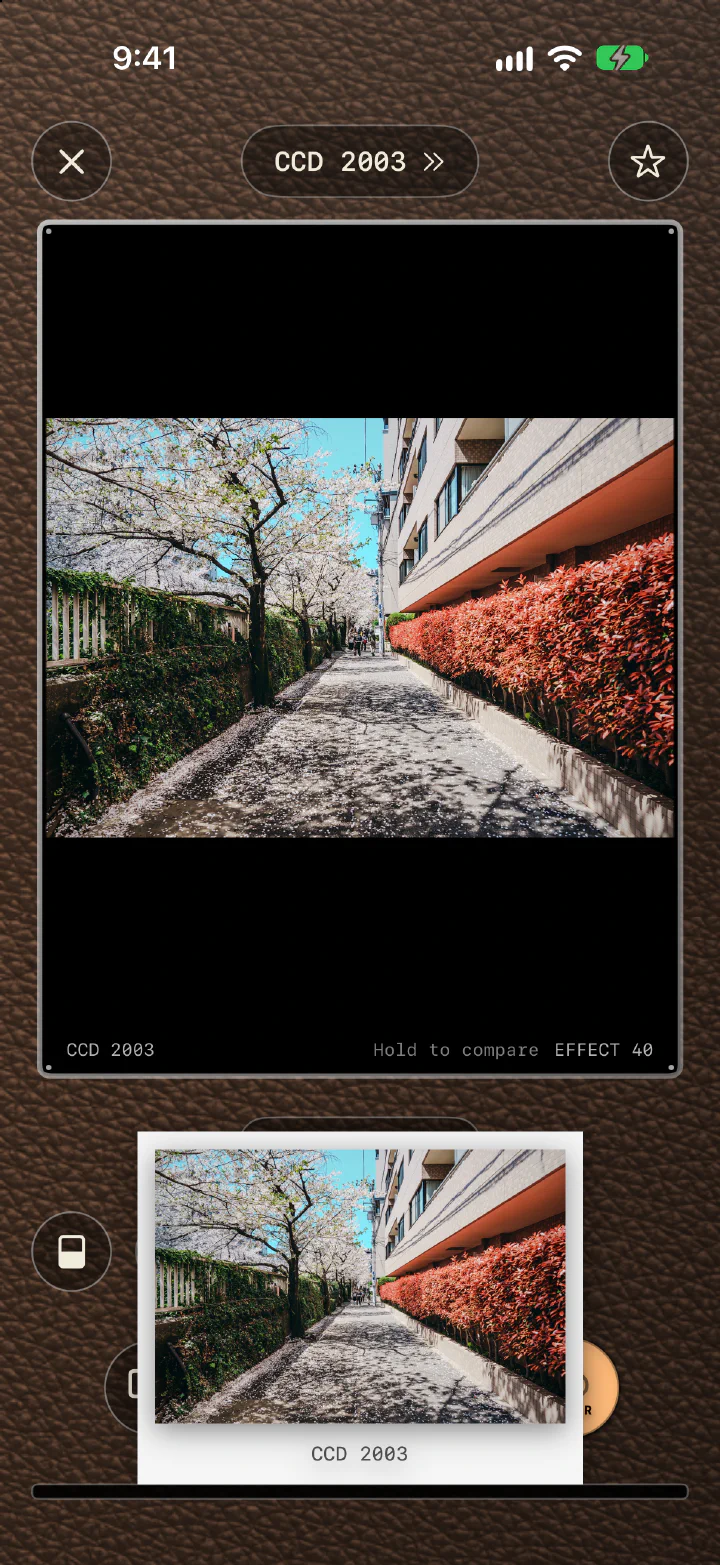
RilaCam Printer screen: a CCD 2003 photo preview with a printed copy in a white frame

RELEASE NOTES

1.9.1 (In development)

  • The filter name under the viewfinder no longer gets cut off, and the zoom readout shows a plain multiple, such as 0.8× or 1.5×.
  • The level points the right way when you hold an unfolded iPhone Duo sideways.
  • Kyoto Walk and Tokyo Standard no longer blow cloudy skies out to white.
  • The white balance list closes when you start recording with the volume buttons or Camera Control.
  • New original format: with Zero Process and Save original photos on, you can save the original as a DNG (RAW). Zoomed shots and film roll mode still save HEIF/JPG.

1.9.0

  • Made for iPhone Duo: on the outer screen the tools run in a column beside the viewfinder; unfold it for a full-height viewfinder with filters on the left and controls on the right. Printer has the same two-column layout, and its photo preview is larger on the outer screen.
  • New white balance: tap WB to open a list over the viewfinder: Cloudy 6,500K, Daylight 5,500K, Fluorescent 3,800K, Incandescent 2,800K, or Auto.
  • More shutter speeds: 1/200, 1/160, 1/100, 1/80, 1/50, and 1/40 join the dial.
  • The leather body now covers the bottom controls too, the viewfinder is taller, and its frame has a softer silver edge.
  • Printer keeps a steady photo frame while a photo loads, and holding to compare keeps the white frame.

1.8.0

  • New filter: Kyoto Walk joins Digital Color, a Japanese street look with cream highlights, pale blue skies, and olive greens. Free if you own Digital Color.
  • Keep natural skin tones (Settings › Capture, on by default): skin stays natural while brightness and texture follow the filter. In photo mode, the viewfinder shows it live.
  • Richer shadows: smoother shadow color, and grain no longer darkens the picture. Pocket 4, Tokyo Standard, and Silver Compact are fine-tuned.
  • Purer Zero Process: no color noise reduction, and filters apply at the slider's strength. The viewfinder's brightness is closer to the photo, and it shows how each shot is processed. A new Processing setting puts Standard and Zero Process side by side, with one line each.
  • CCD 2003 and Night CCD no longer streak a bright daytime sky; point lights like street lamps still smear.
  • Tap to focus with Fisheye now focuses where you tap. Fisheye warping and Super 8 video shake follow the strength slider.
  • Photos saved to Photos are named by processing, filter, and strength, so they're easier to sort.
  • Improved fast bursts, recovery of unsaved photos, saving a whole film roll to Photos, and subscription updates. Favorites reach Camera Control right away. The grid no longer jumps, and opening a photo in the album no longer flashes the camera.

1.7.1

  • Photos now match the preview: the filter strength you see when you shoot is the strength you get.
  • Faster processing with Zero Process HDR on.
  • Smoother live preview, especially with date and place name stamps on.
  • Filter suggestions in Printer now recognize food, desserts, and drinks.
  • The suggested strength in Printer no longer changes as you move the slider.

1.7.0

  • Filter suggestions in Printer: tap Suggest filters to get up to four filters that fit your photo, with a reason and a suggested strength. Filters you own come first.
  • On supported iPhones, suggestions use Apple Intelligence on your iPhone: no cloud, and your photo is never uploaded. Other iPhones use built-in rules.
  • Choose 12MP, 5MP, or 2MP photos (Settings › Capture). 5MP and 2MP look like early digital cameras; originals stay 12MP.
  • CCD 2003 and Night CCD add CCD smear: bright lights leave a thin vertical streak.
  • Settings shows whether Apple Intelligence is on and how to turn it on.
  • Support for in-app events.

1.6.0

  • Film Roll Mode (Settings › Capture): 24 shots per roll that develop the next day or when the roll is full. Share the roll as a contact sheet, then save it to Photos.
  • New Film Roll tab in the album.
  • Focal lengths are back under every zoom button, and the 35mm crop at 1× shows correctly.
  • Shorter tour and settings descriptions.

1.5.0

  • New Night Cinema filter pack: Tungsten 800, Anamorphic, Super 8, and Push 3200, with red halos around lights, widescreen light streaks, a Super 8 weave while recording, and pushed black and white.
  • Faster shutter: on supported iPhone models you can take the next photo right away.
  • Packs you own come first in the filter panel, when swiping, and in Camera Control.
  • Printer: filters are grouped by pack, place and shooting-info stamps come from the original photo, and prints can develop over 3, 5, or 10 seconds.
  • Smoother preview when the camera changes lenses on its own.
  • Zoom buttons follow your iPhone's lenses, such as 3× or 5× telephoto, with the correct focal length on older iPhones.
  • When the device is warm or Low Power Mode is on, RilaCam tells you that preview resolution is lowered. Photo and video quality is not affected.

1.4.5

  • New filter: Pastel 400 joins Film Stories, a soft portrait film with gentle pastels, teal greens, and bright skin. Free for Film Stories owners.
  • Experimental RAW 9 Noise Reduction for Zero Process (Settings › Capture) on supported iPhone models such as iPhone 17 Pro with iOS 27 or later. Machine learning reduces color noise in the RAW frame. Off by default.
  • All Filters Monthly now has a first-month intro price for first-time subscribers.
  • Simpler Settings: each group opens its own page, and Photo quality is now part of Capture. The white frame is set from the camera screen, and grain follows each filter's intensity.
  • Swiping through filters: your favorites come first and also keep their place in their own pack.
  • Fixed Camera Control getting stuck after opening Settings or the filter panel, and the zoom dial freezing with Zero Process on.

1.4

  • Viewfinder aids: turn on an optional Level and Histogram in Settings › Body and controls. They appear only in the viewfinder and are off by default.
  • Camera Control: switch filters and zoom up to 10× (digital crop); fixed zoom and exposure controls that could stop responding or get stuck.
  • Illustrated icons for the built-in filters and all five paid filter packs.
  • Filter panel: a tighter layout that keeps its height as you switch packs, with the description, favorites, and PREVIEW button on one row.

1.3

  • Zero Process (Settings › Photo quality): photos are developed from a single RAW frame, skipping iPhone's multi-frame processing, then your filter is applied. Still saved as HEIF or JPG.
  • Optional HDR for Zero Process on iOS 18 or later keeps the RAW's bright highlights on HDR displays.
  • Filter color fix: cool filters are cool and warm filters are warm again, with a gentler shift.
  • Zero Process uses one physical lens; lenses without RAW support and zooms that would crop below about 12MP use normal processing.

1.2

  • Toy Box filter pack: Disposable 400, Toy Lens, Redscale, and Fisheye.
  • Share photos and videos from the Album (formerly My work).
  • Handwritten frame notes: place, shooting info, and date in one level handwriting font.
  • Printer: touch and hold the preview to compare with the original.
  • Film grain is back; fixed the composition grid lagging behind the white frame.

1.1.1

  • Zoom dial: slide across the zoom buttons to zoom smoothly.
  • 1/120 s replaces 1/125 s to reduce flicker under indoor lighting.
  • Smoother camera screen, aperture ring fixes, and smoother lens switching.
  • Fixed photos in white frames coming out darker.

1.1

  • Printer: pick a photo from your library, choose a filter, and press the shutter to save a new copy. Your original isn't changed.
  • White frames for new shots and prints, with optional handwritten place and shooting info on the bottom edge.
  • Shutter dial (1/4000 to 1/30 s, down to 1 s for photos), exposure compensation in 1/3 steps, and a 3, 10, or 30-second self-timer. Double-tap to go back to auto.
  • Favorites: star a filter and it comes first when you swipe.
  • Shooting info stamp (focal length, aperture, shutter speed, ISO) and custom dates from 1970 to 2099.
  • Aperture ring on iPhone models with a variable aperture, a new camera layout, a shorter 5-step tour, and bug fixes.

1.0

  • First release: 21 filters, 5 of them free, with live preview and per-filter intensity.
  • Photos up to 12MP in JPG or HEIF; video at 720p or 1080p with microphone audio.
  • Date stamps in four styles, optional place names, and five camera bodies.
  • My Work for browsing your photos and videos, and Camera Control on supported iPhone models.

PRIVACY

Processed on your iPhone

Photos and videos are not uploaded to developer-operated servers. No account is needed.
You choose camera, photo, microphone, and location permissions.3

Read the full Privacy Policy
  1. Output resolution depends on the lens, crop, and shooting conditions and may be lower than 12MP.
  2. Paid collections are one-time in-app purchases and must be unlocked before saving results. Use Restore Purchases to get them back. See the App Store for current prices.
  3. Place-name lookup uses Apple services. Photos may sync or download according to your iCloud settings.

Screenshots show the app interface and filter rendering. Results vary with the scene and the filter intensity you choose.

Available lenses, zoom, flash, and the aperture ring depend on your iPhone model. Camera Control requires supported hardware and iOS 18 or later.